Mainstream tools like Midjourney and DALL-E are brilliant until your prompt gets even slightly mature .Then you hit a filter, a warning or a blank result. That’s why so many people look for an uncensored AI image generator: a tool that turns words into pictures for adults, without refusing every romantic or explicit idea. We tested the platforms that promise exactly that, from adult companion studios to privacy-first services and local setups, and compared how good the AI images actually look, how much control you get, and what each image generator still blocks. Here’s the honest ranking of the best tools in this category.
AI Image Generators Compared: Quick Table
Scores are our site-wide ratings. Prices were checked this autumn and show the lowest monthly equivalent.
| Platform | Score | Best for | Image tools | Free option | Paid from |
| 10.0 | Pictures with a story | Photos on request, photo-style or anime builder | 6 lifetime images | $0.92/week (12 months) | |
| 9.7 | Most complete studio | 2 models, 100+ poses, negative prompt, batches up to 256 | 55 coins on sign-up | $9.99/mo (annual) | |
| 9.4 | Consistent faces | V2 characters, pictures in chat | 1 image | $3.99/mo (12 months) | |
| 9.2 | Huge character pool | In-chat pictures, 350K+ characters | Free account | $7.99/mo (12 months) | |
| 9.1 | Prompt precision | Tag mode + natural language, up to 2K | Messages only | $9.17/mo (annual) | |
| 9.0 | Fast batches | Presets, up to 64 per run | 2 messages | $119.99/yr promo | |
| 8.9 | Pictures that unlock over time | Scene photos, animate photos | About 10 messages | ~€0.27/day (12 months) | |
| 8.6 | Anime and hentai art | Style, face, body, pose controls | Messages only | $12/mo (annual) | |
| 8.5 | Character galleries | Pictures, unlockable galleries | 200 XOT | $12.50/mo (annual) | |
| 8.3 | Group shots on a budget | Photo-style and anime, groups of 3, remove blur | Partial access | $4.15/mo (annual) |
What Truly Uncensored Means, and Why Every Filter Still Exists
No legitimate service is completely uncensored in the sense of “anything goes”, and that’s a good thing. What “uncensored” really means is that a platform allows mature themes and explicit material that mainstream platforms block, while still enforcing a few hard limits.
Every serious service we tested keeps a filter against:
- anyone who is or looks underage;
- real, identifiable people, including celebrities;
- non-consensual sexual content;
- other illegal content.
Inside those limits, you get far more freedom to explore than on mainstream tools: nudity, fantasy, fetish themes, dark art and explicit scenes between fictional adults. Content filters on adult platforms are tuned for those rules, not for corporate brand safety. If a site claims it has no rules at all, treat that as a warning sign, not a feature.
She doesn't need a manual. Start talking and she'll figure out exactly what you like — your mood, your energy, your type. She adapts to you, not the other way around.


Top 10 Uncensored AI Image Generator Platforms, Reviewed
1. — 10.0/10 · Best for Pictures With a Story
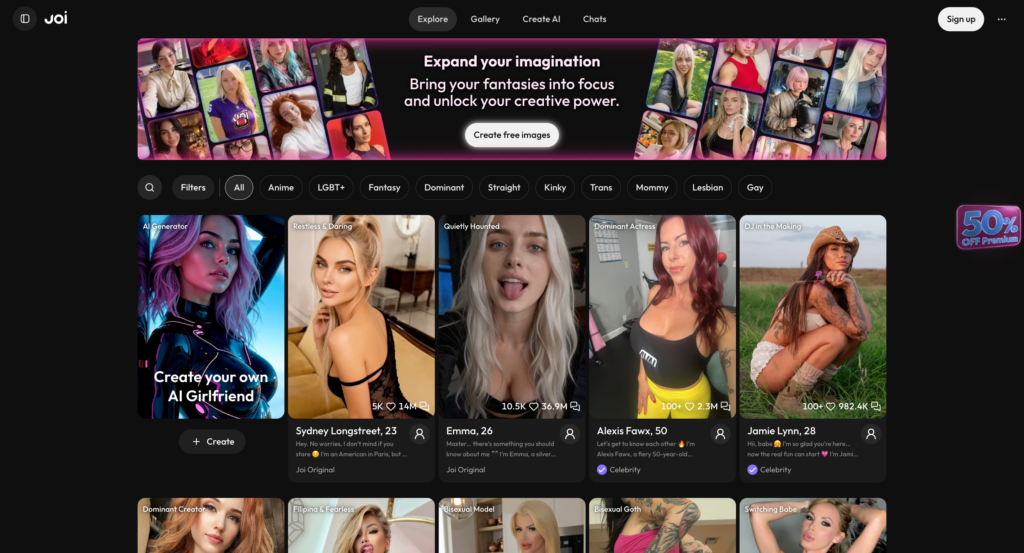
Describe the moment and she sends the picture.
Joi AI works differently from a classic studio. Instead of an empty box, you build a character, photo-style or anime, and ask her for pictures during the conversation. That context makes results feel personal, and since every picture comes from the same saved character, faces stay consistent. Prompts are screened before generation, published media is reviewed by humans, and users can’t upload other people’s photos.
- Strengths: natural results, strong consistency, unused monthly benefits roll over.
- Limits: only 6 free lifetime images; no advanced studio sliders.
- Prices: from $0.92/week on the yearly plan (up to 350 images or 100 videos per month).
2. — 9.7/10 · Most Complete Studio
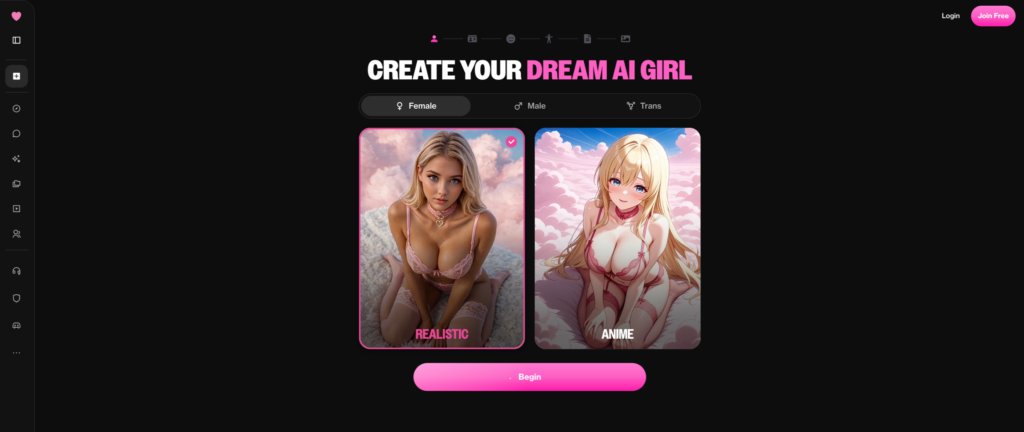
The deepest toolkit we tested.
Ourdream.ai gives you granular control over every aspect of the picture: two AI models (Dreamy for stylized art, Vivid 1.0 for photorealism), 100+ poses, 40+ backgrounds, 20+ outfits, a negative prompt field and batches of up to 256. Built-in edit tools (Spark and Eclipse) and an enhance button fix details without starting over. Reference photo uploads are disabled on purpose, so you can’t upload a reference of a real person.
- Strengths: biggest preset library, editing built in, excellent prompt adherence.
- Limits: strict moderation sometimes flags harmless words; coins only for subscribers.
- Prices: from $9.99/month yearly; images cost 10 coins per 2; 55 free coins on sign-up.
3. — 9.4/10 · Best for Consistent Faces
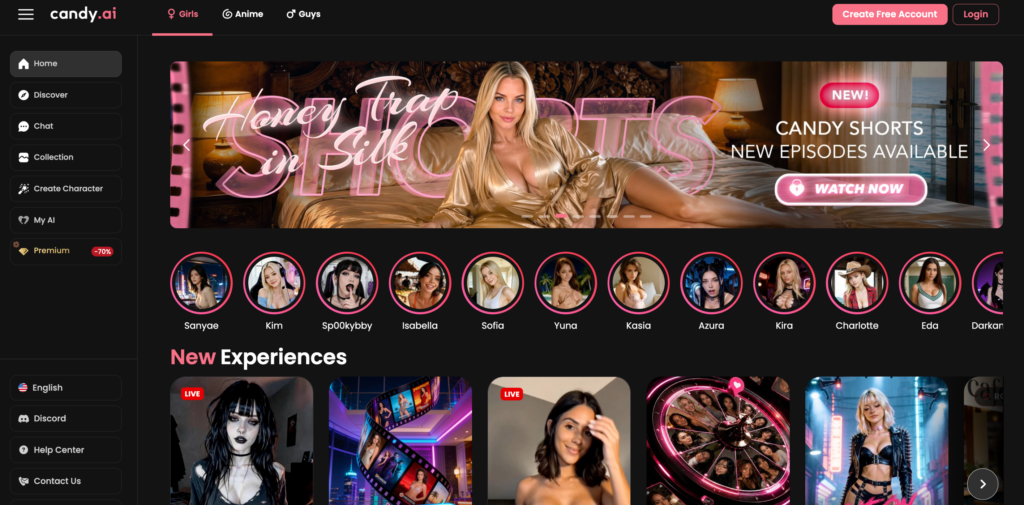
Design her once, then picture her anywhere.
Candy.ai’s V2 characters keep the same face across whole sets of photorealistic AI images, which is the hardest thing for most AI image generators. You create a character with a detailed builder and ask for pictures in chat. It’s less of a sandbox, more of a reliable portrait studio. Real-person resemblance is zero tolerance.
- Strengths: consistency, polished results, cheapest yearly plan.
- Limits: 1 free image; no advanced prompt modes.
- Prices: from $3.99/month on the 12-month plan, 100 tokens per month.
4. — 9.2/10 · Huge Character Pool
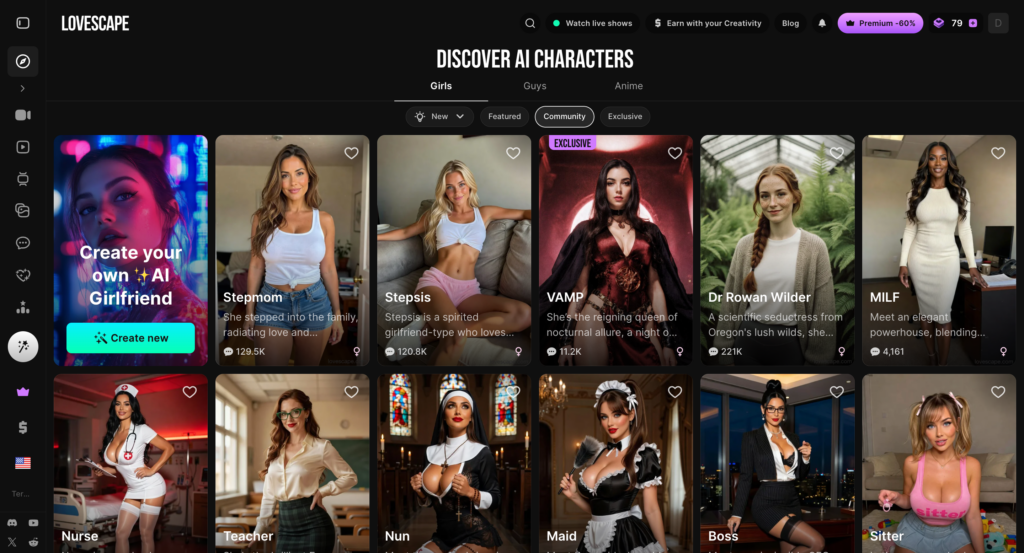
Start from one of 350,000 characters.
LoveScape’s main advantage is its community library: more than 350,000 characters you can start from instead of building from scratch. Pictures are created inside the conversation and tied to one character. Creative PRO and Ultra add watermark-free downloads, so lower tiers export with a watermark.
- Strengths: variety, private by default, lifetime plan available.
- Limits: watermarks on Premium; cost per picture not published.
- Prices: from $7.99/month on the yearly plan.
5. — 9.1/10 · Best Prompt Precision

Write it in plain English, get exactly that.
SecretsAI offers two modes. Premium mode reads comma-separated tags (up to 1,000 characters); Advanced mode reads full sentences (up to 2,000 characters) and renders high-resolution images at 1.5K or 2K. Presets cover outfits, actions and scenes; you can run 8 pictures per batch and fit up to 3 characters in one shot.
- Strengths: best for detailed text, group shots, clear price before you click.
- Limits: pictures only on paid plans; web-only.
- Prices: from $9.17/month yearly; 50 Moments per picture (100 at 2K).
6. — 9.0/10 · Fastest Batches
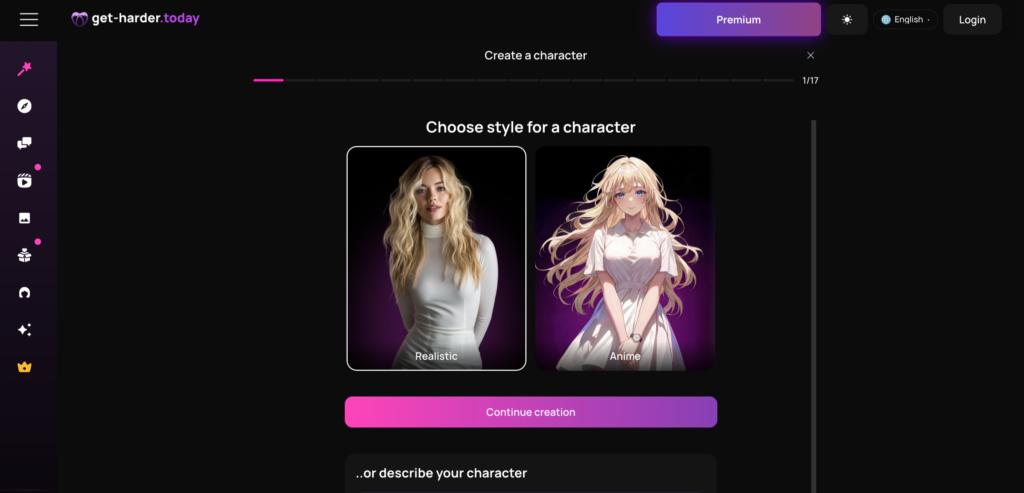
Pick four presets, get 64 results.
GetHarder skips the prompt box almost entirely. You choose model, outfit, pose and scene, then generate 1, 4, 16, 32 or 64 pictures at once. Themed Content Packs add ready-made sets. It’s the most beginner-friendly option when you want volume fast.
- Strengths: huge batches, zero writing needed, 30-day refund window.
- Limits: almost nothing free; female characters only.
- Prices: $119.99/year (promo), 100 tokens per month, 5 tokens per picture.
7. — 8.9/10 · Pictures That Unlock Over Time

The closer you get, the more she shows.
Swipey ties pictures to a relationship with 10 levels. Scene photos cost 10 Hearts, Premium unlocks uncensored generation, and “Make Me Move” animates photos she already sent. It’s less of a tool and more of an experience.
- Strengths: progression, ways to earn free Hearts, photo animation.
- Limits: less control over individual shots; extensions add up.
- Prices: from about €0.27/day on the yearly plan.
8. — 8.6/10 · Best for Anime and Hentai Art

Pick a style, a face and a pose.
GPTGirlfriend has a dedicated art studio for anime and hentai styles, with controls for style, face, body and pose. It’s the best pick for digital art rather than photo-style pictures, and any result can be animated into a short clip.
- Strengths: strong anime looks, simple controls, 12 languages.
- Limits: lifetime free cap; best features on top tiers.
- Prices: from $12/month yearly.
9. — 8.5/10 · Best for Character Galleries

Gifts unlock galleries you can’t get anywhere else.
Xotic creates pictures for 50 XOT each and adds exclusive galleries that unlock with gifts. It’s a good fit if you like collecting sets for one character.
- Strengths: galleries, 4K upscale on video, detailed pricing.
- Limits: media locked on free; all sales final.
- Prices: from $12.50/month yearly (1,000 XOT).
10. — 8.3/10 · Group Shots on a Budget

Three characters in one frame, cheap yearly plan.
GoLoveAI creates photo-style and anime pictures, combines up to 3 characters in one shot, and offers a remove-blur option. The yearly PRO plan is among the cheapest here.
- Strengths: group shots, low price, PayPal and crypto.
- Limits: partial free access; “all NSFW content” only on Ultra.
- Prices: $49.80/year (about 50 pictures per month).
How We Tested AI Image Generators
Every platform went through the same process, so results are comparable:
- Fifty identical descriptions per platform, from simple portraits to complex scenes with lighting and props.
- Consistency checks: the same character in ten different settings, to see whether the face holds.
- Hands, eyes and anatomy: the classic weak spots of AI images.
- Style range: photo-style, anime, painterly and comic looks.
- Speed and cost: how long each batch took and what each picture really cost after converting tokens and coins.
- Rules and privacy: what the filter blocks, how billing appears and how easy it is to delete your data.
We weighted quality and control most heavily, then value and trust. Platforms that produced great pictures but hid their rules or billing were marked down.
Photo-Style or Anime: Which Look Should You Choose?
Most services offer two broad looks, and the right one depends on what you enjoy.
Photo-style pictures aim to look like real photography: natural skin, realistic light and depth of field. When they work, they’re stunning. When they don’t, small errors in hands, teeth or eyes stand out immediately. Ourdream.ai’s Vivid model, SecretsAI’s Advanced mode and Candy.ai’s V2 characters lead here.
Anime and illustrated looks are more forgiving. Small mistakes disappear into the style, and fantasy elements like unusual hair colors, outfits or creatures look natural. GPTGirlfriend’s art studio and Ourdream.ai’s Dreamy model are the best picks.
Our advice: create one character in each look. Many users find they prefer anime for fantasy scenes and photo-style for everyday ones, and saved characters make switching easy.
Which Tool Fits Your Use Case?
Different people want different things from these AI image generators. Here’s a quick guide:
- You want a character you can talk to: Joi AI, Candy.ai or Swipey.AI, where pictures arrive inside a conversation.
- You want maximum creative control: Ourdream.ai, with presets, editing and huge batches.
- You like writing detailed scenes: SecretsAI’s natural-language mode.
- You want lots of results quickly: GetHarder’s preset batches.
- You love anime and hentai art: GPTGirlfriend.
- You care most about privacy: a privacy-first service or a local setup.
- You’re on a tight budget: Candy.ai or GoLoveAI on yearly plans.
If you’re unsure, test two platforms with the same description and compare the AI images side by side. That tells you more than any review.
Common Problems and Quick Fixes
Even the best tools make mistakes. These are the ones we saw most often:
- Extra fingers or strange hands: regenerate, add a negative instruction, or choose a pose with hands out of frame.
- The face changes between pictures: always start from a saved character.
- Blocked requests: some filters react to harmless words. Rephrase neutrally, and never describe a real person.
- Flat lighting: add a clear light cue such as “warm window light” or “neon glow”.
- Busy backgrounds: describe a simple setting, or use a background preset.
Most of these fixes take seconds, and after an hour of practice your hit rate improves dramatically.
Venice AI, HackAIGC, ZenCreator and Civitai: Platforms That Claim Fewer Limits
Outside our main ranking, four names come up in almost every discussion. Here’s what we found.
Venice AI is a privacy-focused service for text and pictures. The free tier allows 15 image prompts a day on base models; Pro costs $18/month and raises the limit to up to 1,000 images a day, with sharper upscaling and no watermark. It’s popular with users who want maximum privacy, though it’s a general-purpose tool, not an adult studio.
HackAIGC is an adults-only platform with an unfiltered chatbot, text-to-image, image editing, image-to-image and video. A free Starter plan gives a small daily allowance, and paid packs don’t auto-renew. The site says it stores no data and processes everything on your device, but it also runs a server-side credit system, and the operator isn’t named. We’d treat its privacy claims as unverified.
ZenCreator sells credit packs only (from $19.99 for 200 credits, no free trial) and offers text-to-image, editing tools, an upscaler, video, lip-sync and photoshoot tools. Some models are labeled “Spicy” or “Uncensored”. It also includes face and head swap tools: never use those on photos of real people without their consent.
The last one is the largest community hub for SD models, LoRAs and public galleries, with an on-site generator. It’s a goldmine for finding models, but quality varies a lot between uploads, and rules on adult material and real-person likenesses have tightened over time.
Our take: these sites can be useful, but none offers the consistent characters, saved looks and clear moderation of the ten platforms above.
Running Stable Diffusion Locally: The Unrestricted Route
The most unrestricted option is running open models on your own computer. With Stable Diffusion and free interfaces built around it, everything you generate stays on your machine, and you control the models, settings and output.
What you need:
- A capable GPU. A modern graphics card with plenty of video memory is the main requirement.
- Disk space for models, which can take several gigabytes each.
- Patience. Setup takes an afternoon, and learning the settings takes longer.
What you get: full control, community models including photo-style and anime checkpoints, image-to-image, inpainting and the ability to iterate endlessly without credits. Newer open models like Qwen Image and closed services like Seedream show how fast quality is moving, but for adult work, a local SD setup remains the classic choice.
The catch: local doesn’t mean lawless. Creating sexual pictures of real people or minors is illegal wherever your computer is. Running unrestricted AI image tools at home moves the responsibility entirely onto you.
Image Generator Workflow: From Text to Final Output
Whatever tool you use, the same workflow gives the best results:
- Build or pick a character. Saved characters keep faces consistent.
- Write a focused prompt. Subject, pose, setting, light, style.
- Use presets and a negative prompt. Exclude blur, extra fingers and watermarks.
- Generate a small batch. Four to eight results show you what works.
- Edit, don’t restart. Use the image editor or enhance tools to fix details.
- Upscale and export. Save the best output at the highest resolution your plan allows.
This approach saves credits, produces more usable AI images and gets you better output quality than generating one picture at a time and hoping.
How to Write a Prompt for Better AI Images
Most bad AI images come from vague text prompts, so prioritize clarity over length. A strong prompt has four parts:
- Subject: an adult character, build, hair, eyes and expression.
- Action: one clear pose or activity.
- Scene: place, time of day and mood.
- Style: photo-style, anime, painterly, film grain, studio light.
Tips from our testing:
- Keep the main idea at the start; models give the beginning of a prompt the most weight.
- Experiment with different artistic styles for the same character: a painterly or comic look can stylize a scene in a way photos can’t.
- When prompts get long, results get muddled. Cut words that don’t change the picture.
- Change one thing at a time so you know what helped.
- Save every prompt that works and reuse it.
Free Options: What You Can Try Without Paying
Picture generation costs real money, so generous free plans are rare. Here’s what’s free to try:
- Venice: 15 image prompts per day on base models.
- Ourdream.ai: 55 coins on sign-up (about 10 pictures).
- Joi AI: 6 lifetime images.
- Candy.ai: 1 image.
- HackAIGC: a small daily allowance on the Starter plan.
- A local SD setup: free software, but you need the hardware.
Searches like “free uncensored ai image generator”, “uncensored ai image generator free”, “free ai image generator uncensored”, “free uncensored ai art generator”, “uncensored ai art generator free” and “free uncensored ai generator” mostly lead to sites with tiny allowances or aggressive ads. A short free test on a trusted platform tells you more than hours on a shady one.
Uncensored vs Mainstream AI Tools
Mainstream services are excellent for commercial work, concept artists and marketing, but they block adult content by design. Adult platforms trade that brand safety for creative freedom.
| Mainstream services | Uncensored adult platforms | |
| Explicit material | Blocked | Allowed for fictional adults |
| Filter focus | Brand safety | Legal limits |
| Character consistency | Varies | Saved characters on most |
| Privacy | Account-linked | Discreet billing on most |
| Best for | Commercial projects | Personal adult creativity |
If you need commercial rights, read the terms of service for each platform. Some reputable platforms allow commercial use of generated images; many platforms limit it to personal use, especially for adult material.
What Paid Plans Actually Get You
Subscription prices tell you little until you turn them into pictures. Here’s roughly what a month buys on the main platforms:
| Platform | Monthly allowance | Approx. pictures |
| Joi AI (12 months) | 1,500 coins | up to 350 |
| Ourdream.ai Premium | 1,000 coins | about 200 |
| SecretsAI Premium | 8,000 Moments | about 160 (80 at 2K) |
| GetHarder | 100 tokens | about 20 |
| GoLoveAI PRO | 50 Stars | about 50 |
| Venice Pro | $18/month | up to 1,000 per day |
Allowances are usually shared with video and other features, so every clip reduces your picture count. Yearly plans cut the price by half or more on most adult platforms. If you’re unsure, pay for one month first, generate a few dozen pictures and decide from there.
Are These Tools Legal to Use?
Creating explicit pictures of fictional adults is legal in most countries, and adult AI image generators are built for exactly that. What’s illegal almost everywhere is creating sexual pictures of real people without their consent or of anyone under 18, no matter which tool produced them or whether it ran in the cloud or on your own PC.
Laws on synthetic intimate imagery are tightening quickly, and platforms are responding with stricter checks. Stick to fictional characters, keep your creations private unless the site’s rules allow sharing, and you’ll stay on the right side of both the law and the terms you agreed to.
Privacy, Safety and the Legal Line
Adult creativity is personal, so privacy matters. Follow these rules to stay private and safe:
- Choose discreet billing. Joi AI (“joi.com”), Candy.ai (“EverAI”), SecretsAI (“S LABS INC”) and GetHarder (“Get-harder.today”) use neutral names.
- Check sharing settings. Some cloud platforms publish creations to public galleries by default.
- Never use real photos. Creating explicit pictures of real people is a serious violation and illegal in many countries.
- Read deletion rules. Make sure you can delete generated content and your account.
Every platform runs its own filter, and a platform’s rules always apply on top of the law. Generating content without restrictions on minors, real people or consent isn’t “uncensored”; it’s a crime.
Real User Tips From Our Testing
Here’s what helped us most after hundreds of hours with these tools, the kind of advice you’d get from someone who’s used them for months:
- Start with presets. Platforms with intuitive interfaces and presets produce better first results than an empty prompt box.
- Build a character library. Save your favorite looks so you never have to describe them again.
- Pick the best tool for the job. Ourdream.ai for control, SecretsAI for long descriptions, GetHarder for speed, GPTGirlfriend for anime.
- Check where the tool runs. A service in your browser needs no setup; a local setup needs a strong PC.
- Mix creative tools. Generate in one place, upscale or animate in another.
- Don’t chase “images without limits”. Every honest service has limits; what matters is whether they make sense.
Using uncensored platforms wisely means treating them like any creative software: learn the controls, save what works and respect the rules.
Our Verdict
- Best overall: Joi AI, for natural pictures tied to a character you know.
- Most complete studio: Ourdream.ai.
- Best prompt precision: SecretsAI.
- Fastest volume: GetHarder.
- Best value: Candy.ai.
- Best for anime art: GPTGirlfriend.
- Best privacy-first alternative: Venice.
- Best for tinkerers: a local SD setup.
FAQ: Uncensored AI Image Questions
What is the best uncensored option overall?
For most people, Ourdream.ai offers the best balance of quality, control and safety. Joi AI is best for pictures with a story, and SecretsAI is best for detailed text descriptions.
Is there a free option with no censorship?
Partly. Venice allows 15 image prompts a day on base models, Ourdream.ai gives 55 coins on sign-up, and Joi AI gives 6 images. Unlimited free uncensored ai image generation doesn’t exist on trustworthy platforms.
Can I upload my own photos?
Most adult platforms block uploads of real people. Some tools let you transform your own artwork, but never upload photos of other people.
What is the safest uncensored tool for photos?
The platforms in our main ranking publish clear rules, moderate content and use discreet billing. Avoid sites that hide who runs them.