

SeaArt AI caught my attention because it tries to do more than most AI companion sites. You can create realistic or anime-style images, build fictional characters, chat with AI bots, and make videos. There’s also a huge public gallery where people share their work. But having lots of features doesn’t always mean a better experience. For this SeaArt AI review, I wanted to look at the parts that matter most to companion fans: character control, chat quality, memory, visuals, and how quickly you can use up your free credits.
One thing is clear from the start. SeaArt isn’t a dating site with real people. Its character chats use AI, and the service is built around digital creation rather than meeting real partners.
SeaArt AI at a Glance: My Quick Verdict
| Feature | My assessment |
| Best for | AI art, anime characters, visual roleplay |
| Free access | Daily Stamina allowance |
| Character creation | Detailed custom fields and ready-made bots |
| Chat | Text roleplay with character settings |
| Memory | Context-based; no clear long-term guarantee |
| Images | Realistic, anime, fantasy, and more |
| Video | Multiple AI video models |
| Voice | Selectable character voice and audio features |
| NSFW | Restricted by content rules |
| Main drawback | Complicated credits and paid limits |
SeaArt looks especially appealing if you enjoy making characters as much as talking to them. The image tools offer plenty of choice, and the character builder has far more than a name and profile picture. The downside? It’s not the simplest place for someone who only wants to open an AI girlfriend chat and start talking. The visual tools get a lot of attention, while the payment system takes some time to understand.
Top SeaArt AI alternatives




What Is SeaArt AI, and Who Is It For?
SeaArt AI is an online platform for creating AI images, videos, and fictional characters. It combines an image generator with editing tools, custom AI models, a public gallery, and roleplay chat. The SeaArt AI official website is seaart.ai. Its main areas cover image creation, video tools, AI characters, and community content.
You can use SeaArt for several things:
- Make realistic portraits and anime illustrations.
- Create fictional characters with their own personalities.
- Chat with ready-made AI characters.
- Generate images and videos.
- Edit existing pictures with AI tools.
- Train custom models and use LoRAs.
- Share creations or browse public work.
What stands out to me is how much freedom the character setup gives you. A basic companion app often asks you to choose a face, pick a personality, and start chatting. SeaArt lets you work on both the visual and written sides of a character. That makes it a better match for people who enjoy building fictional worlds. If you only want simple daily conversations, some of these tools may feel unnecessary.
SeaArt AI Login and Registration: How Easy Is It?
Getting started doesn’t require you to learn the whole platform. You can browse public content first and create an account when you’re ready to use the tools. The SeaArt AI login supports email and linked account options, including Google and Facebook. That gives users more than one way to sign in.
Here’s the basic process:
- Visit SeaArt and select the login or signup option.
- Choose your preferred sign-in method.
- Complete the account setup.
- Open the image creator or AI character section.
- Choose an existing character or start creating your own.
The setup itself is fairly straightforward on paper. The bigger learning curve comes afterward because the website has so many separate tools.
Does SeaArt Require Age Verification?
SeaArt has content rules and moderation controls, but I wouldn’t treat normal account registration as proof that every user has completed a full identity check. Age-related access rules may depend on the service and location. Adult content restrictions also apply independently of whether an account has been created.
For account privacy, I’d avoid putting personal information into public character descriptions or AI prompts. A fictional character doesn’t need your real address, phone number, or private photos.
SeaArt AI Character Creation: One of Its Strongest Features
Character creation is the part that makes SeaArt relevant to AI companion fans. You can choose a ready-made bot or build one of your own. The character creator includes fields for names, gender, introduction, character settings, opening messages, voices, and scenarios.
It also supports dialogue examples. That’s useful because you can show the AI how a character should speak instead of describing everything with general traits.
How Much Can You Change?
The character editor provides several important controls:
| Setting | What you can do |
| Name | Give the character an identity |
| Gender | Female, male, non-binary, or non-human |
| Introduction | Write a public character description |
| Character settings | Define personality, background, and behavior |
| Opener | Choose the first chat message |
| Scenario | Set the fictional situation |
| Dialogue examples | Show the AI how to respond |
| Voice | Select a voice for the character |
| Visibility | Choose public or paid private creation options |
The character settings field supports up to 40,000 characters. That’s a lot of space for backstories, relationship details, habits, and dialogue rules. I find this more useful than a builder that only offers a few personality buttons. A long description can give a fictional character more detail, although adding more text doesn’t guarantee that the AI will follow every instruction perfectly.
Realistic Characters vs Anime Characters
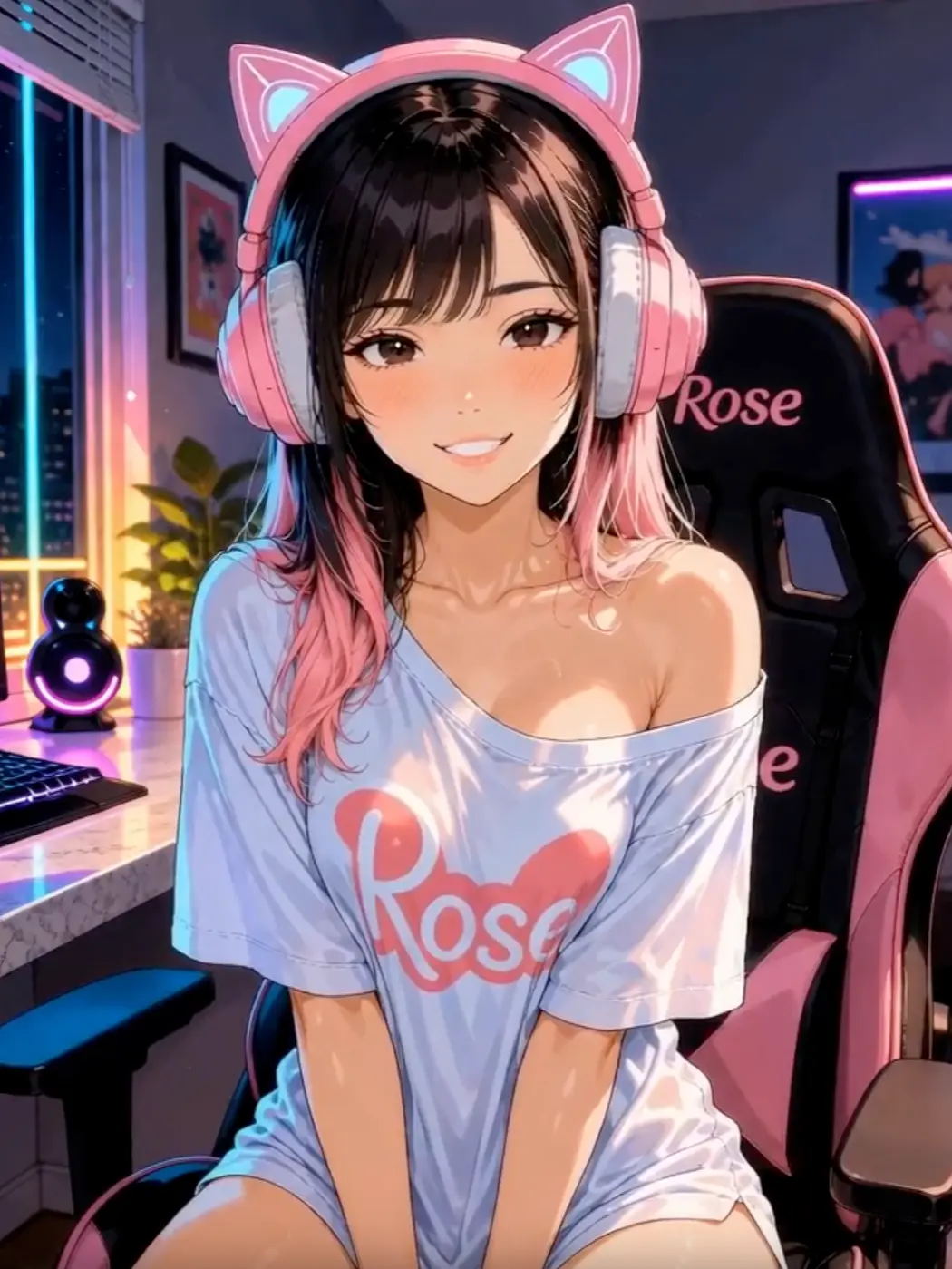
SeaArt has a strong visual side, so you don’t have to settle for a generic character portrait. The image creator gives you access to realistic, anime, fantasy, and other art styles. You can work with prompts, models, and visual settings to shape the result. That flexibility is a major plus for people who want their companion to have a specific look. The catch is that visual creation and chatbot setup are not exactly the same task. A great portrait doesn’t automatically produce a great personality.
Can You Use Characters Made by Other People?
Yes. SeaArt has public characters that other users can find and chat with. That’s helpful if you don’t want to build everything yourself. You can choose a fictional personality and start from an existing profile.
Public characters also show how different creators use the available settings. Some focus on simple conversations, while others have larger fictional backgrounds. Still, I’d expect quality to vary. A detailed character description can make a good first impression, but the real test is how the bot behaves after several messages.
SeaArt AI Chat Quality: Is It Good Enough for Roleplay?
Chat is the most important part of an AI companion review, and SeaArt deserves a closer look here. The character system supports custom backgrounds, scenarios, example dialogue, and different AI models. Those tools give creators room to shape how a conversation should work.
I like that you can define more than a character’s mood. A proper scenario tells the bot where the story takes place and what kind of relationship the characters have. But there are three areas I would pay special attention to.
Natural Conversations
For everyday chat, I prefer a character that responds to what I’ve said rather than repeating the same compliments or turning every message into a dramatic scene. SeaArt’s chat setup can support normal conversations, but the result depends on the model and character instructions. A character with a short description may feel generic. A more detailed profile has a better chance of keeping a clear personality.
That doesn’t mean longer is always better. Too many rules can make replies stiff or cause the AI to focus on the wrong details.
Roleplay and Story Control
SeaArt gives roleplay fans useful tools before the conversation even begins. You can define a scenario, add example dialogue, and choose an opening line that starts the story in the right place. For example, a character could be written as a fantasy traveler, a detective, or a friend from a fictional town. The scenario field helps set the scene without forcing you to repeat it in every message.
I think this is one of SeaArt’s better ideas. It gives users a way to guide the story rather than hoping the AI understands everything from one short prompt. The limitation is consistency. A character can still change tone or lose track of small facts during a longer chat.
Does SeaArt AI Remember Previous Messages?
SeaArt uses character instructions and conversation context, but it doesn’t give every character a clearly stated permanent memory system. That’s different from having a companion that reliably remembers your favorite things, past conversations, and relationship details for months.
I would separate three types of memory:
- Character settings: Information written into the bot’s profile.
- Conversation context: Earlier messages the model can still use.
- Long-term memory: Facts saved and recalled across future chats.
The first two are part of how SeaArt characters work. The exact strength of the third isn’t clearly guaranteed across every model and character. For long roleplay, that matters. A detailed setup helps keep the character consistent, but it isn’t a promise that every earlier event will stay in memory.
SeaArt AI Image Generator: Where the Platform Really Stands Out
The SeaArt AI image generator is the biggest reason I’d choose this platform over a basic AI girlfriend app. There’s a large selection of models, and you can make more than simple character portraits. You can create fantasy art, anime characters, realistic pictures, and scenes with custom backgrounds. SeaArt also provides tools for editing images rather than starting over each time.
How the Image Generator Works
The basic creation process is simple:
- Open the image creation section.
- Choose an AI model or visual style.
- Write a prompt describing the picture.
- Adjust available image settings.
- Generate the image.
- Save the result or make another version.
The real value comes from model selection. Two models may produce very different results from the same prompt, especially when one is made for anime and another for realistic portraits. SeaArt also supports custom model training and LoRAs. These tools give more control over a character’s look, although they require more patience than a basic text prompt.
Image Quality and Character Consistency
SeaArt supports both realistic and illustrated images. The final quality depends on your model, prompt, resolution, and other settings. For companion creation, I’d focus on character consistency before making lots of pictures. A portrait might look great on its own, but a recurring character should still look recognizable when the clothing, pose, or background changes. That’s where model choice and repeatable settings become important.
The SeaArt AI generator gives users far more visual control than most chat-first companion services. The trade-off is that you may need several attempts before you’re happy with the result.
What About Editing?
SeaArt includes AI Canvas, background removal, face-related tools, and other editing features. I like the idea of fixing a picture instead of creating ten new versions. It makes more sense to adjust a small problem when the rest of the image is already good. These tools also make SeaArt useful outside AI companionship. You can create artwork, social media pictures, fictional characters, and other visual content without needing a separate image editor for every change.
SeaArt AI Video Generation: More Than Static Pictures
SeaArt also offers AI video creation, which adds another layer to its visual tools. The platform lists several video models, including Kling, Veo, Wan, and other options. Their features vary, and not every model costs the same amount of Stamina or Credits. This is important because video usually costs more than a basic image.
SeaArt’s pricing information uses examples where a standard image needs around six Credits, while video tools can require much larger amounts. Some newer video models cost hundreds or even more than 1,000 Stamina for a short clip.
Are Videos Worth the Extra Credits?
That depends on what you want. If you’re creating a short animation of a fictional character, video can be a fun addition. It gives you something that a static portrait can’t provide. But I wouldn’t spend a large credit balance on video before getting comfortable with the image tools. Video generation also has more things that can go wrong. Motion, facial details, and scene changes all matter. A short clip can look good in one part and less convincing in another.
For someone who mainly wants AI chat, these features may be nice extras rather than a reason to buy a more expensive plan.
SeaArt AI NSFW: How Much Freedom Do You Actually Get?
SeaArt AI NSFW content is a topic worth checking before paying, especially if you’re comparing the platform with adult companion apps. SeaArt can produce a broad range of character art, and its public gallery has content controls such as Green Mode. However, the platform is not advertised as a fully unrestricted adult generator.
Its content rules prohibit pornographic material and other types of prohibited content. Moderation can also flag images that appear to break those rules. That means a paid subscription doesn’t remove content restrictions. For users who want romantic fictional characters, the character and image tools may still be useful. But anyone expecting unrestricted explicit image generation should understand that SeaArt has limits.
I wouldn’t recommend buying SVIP based only on the assumption that every NSFW prompt will work.
SeaArt AI Voice: Can You Talk to Your Character?
SeaArt supports voice selection in its character creator. You can assign a voice to a character, and the platform also describes audio features as part of its AI roleplay system. That’s a good addition because a character’s voice can help establish their personality. However, voice selection and unlimited live calls are not the same thing. A companion app might offer real-time voice conversations with a monthly minute allowance. SeaArt doesn’t clearly present every character as having the same dedicated live-call service.
I would judge its voice tools as a useful part of character creation rather than assume it offers the same experience as a voice-first companion app.
SeaArt AI Credits and Stamina: The Part You Need to Understand
SeaArt has two main types of internal currency: Stamina and Credits. They can both pay for certain creation tasks, but they work differently.
| Currency | How it works | Important limit |
| Stamina | Daily generation allowance | Resets each day |
| Purchased Credits | Bought separately | Generally valid for two years for purchases made from April 1, 2026 |
| Event Credits | Earned through rewards and events | Expiration depends on the reward |
The biggest thing to remember is that unused daily Stamina doesn’t carry over. If you have 300 Stamina and only use 100, the remaining 200 won’t add to tomorrow’s balance. Purchased Credits work differently. They can accumulate, subject to the stated expiration terms.
How Much Does One Generation Cost?
A basic image can cost around six Stamina or Credits with some models. Other models use more, especially at higher resolutions or with extra features. Video can be much more expensive. This makes the actual model cost more important than the number of Credits shown on your account. A balance that lasts for many basic pictures might only cover a handful of higher-end videos. I would always check the cost shown before pressing Generate.
SeaArt AI Pricing: Free vs SVIP Plans
SeaArt AI pricing is built around a free tier and several paid SVIP plans. The paid options increase daily Stamina, task limits, and access to certain features. SeaArt has used different prices and promotions across its checkout pages, so I would treat the following USD prices as reference rates rather than guaranteed charges for every account.
| Plan | Duration | Reference price/month | Main benefits |
| Free | Ongoing | $0 | Limited daily creation, standard access |
| Beginner SVIP | 1 month | $5.99 | 300 daily Stamina, faster queue |
| Standard SVIP | 1 month | $29.99 | Larger allowance, more tasks |
| Professional SVIP | 1 month | $59.99 | Higher limits, advanced use |
| Master SVIP | 1 month | $149.99 | Highest-tier benefits, large-scale creation |
| Yearly SVIP | 12 months | Depends on tier and offer | Discounted monthly equivalent, annual upfront charge |
The plan names are straightforward, but the displayed allowances need attention. SeaArt’s pricing FAQ currently lists 700 daily Stamina for Standard and 2,100 for Professional, while other pricing displays have shown higher allowances. I would rely on the numbers shown in the actual checkout before buying.
Is There a Free Version?
Yes. SeaArt offers free access, although daily limits and promotional allowances can change. Its character page advertises 130 free Stamina per day. At six Stamina per basic image, that’s enough for about 21 standard generations, provided the chosen model uses that amount.
It’s a useful starting point for learning the interface. You can get a feel for the models, character editor, and creation process without buying an expensive plan.
Does SeaArt Have a Trial?
SeaArt also offers promotional SVIP trials. Its billing information describes a three-day trial that turns into a paid subscription unless you cancel. This is one of the most important payment details. SeaArt recommends canceling at least one day before the trial ends because the payment may be processed a few hours early. It also says successful charges after an uncanceled trial are not refundable under that trial policy.
I would check the total price, renewal date, and trial terms before adding a payment method.
Is SeaArt AI Worth Paying For?
For casual image creation and occasional character chats, I think the free tier is the best place to start. You don’t need an expensive plan just to find out whether you like the platform. The character editor, public gallery, and basic generation tools already give you plenty to look at. Beginner SVIP is the most reasonable first paid option for someone who wants a larger daily allowance. Higher plans are harder to justify unless you create images or videos very often.
I’d divide users into three groups:
- Casual users: Stay free until the daily limits become a problem.
- Regular creators: Consider Beginner or a higher tier based on the models you use.
- Heavy video and image users: Compare Professional or Master with the cost of buying separate Credits.
If your main interest is AI companionship, don’t pay for a large visual plan just to get more text conversations. Check which chat features you actually need first.
SeaArt AI Red Flags: What Could Be Better?
SeaArt offers plenty of tools, but several details deserve attention.
1. The Payment System Takes Time to Learn
Stamina, Credits, model costs, paid tiers, and separate purchases can feel like too much at first.
2. Daily Stamina Doesn’t Roll Over
You lose unused daily Stamina at reset. That’s less convenient if you only create images a few times per week.
3. Pricing and Allowances Can Be Confusing
Different offers and plan displays don’t always make it easy to compare costs. The final checkout matters more than a promotional banner.
4. AI Memory Isn’t Clearly Guaranteed
Character settings can help keep a personality consistent, but I wouldn’t rely on permanent memory for every bot.
5. Content Filters Still Apply
SeaArt isn’t a fully unrestricted adult generator. Paid access doesn’t guarantee that sensitive prompts will be accepted.
6. The Interface Can Feel Busy
There’s a lot to learn if you only came for a simple AI chat. Model training, image editing, video options, and community tools all compete for attention.
SeaArt AI vs Candy AI and Character AI
SeaArt sits somewhere between an AI art platform and a character chatbot. That’s why I wouldn’t compare it with other companion services based on chat alone.
- Candy AI is more focused on virtual relationships. You create a companion, choose their look and personality, and use chat and media around that character.
- Character AI puts more attention on fictional personalities and conversations. It’s a better match for users who care mainly about dialogue and story-based roleplay.
SeaArt takes a different approach. It gives you much more room to create artwork, choose models, make videos, and build detailed characters. For visual creation, I would lean toward SeaArt. For a simpler companion experience, I’d choose a dedicated chat app.
SeaArt AI Pros and Cons
| Pros | Cons |
| Large selection of image models | Busy interface for beginners |
| Realistic and anime-style art | Confusing Stamina and Credits system |
| Detailed character customization | Daily Stamina doesn’t roll over |
| Free daily creation allowance | Memory isn’t guaranteed across all bots |
| Ready-made community characters | Content filters restrict NSFW |
| AI video generation | Video can use many Credits |
| Voice selection for characters | Live voice-call access isn’t clearly defined |
| AI image editing tools | Higher SVIP tiers are expensive |
| Custom model and LoRA support | Pricing offers can vary |
Final SeaArt AI Review: My Verdict
8.2/10
SeaArt AI has a lot going for it. The image generator is the main attraction, but the character creator deserves attention too. You can write detailed personalities, set up fictional scenarios, choose voices, and use AI chat alongside a large collection of visual tools. I especially like the choice between realistic and anime-style characters. The public gallery and custom models also give users more creative options than a typical AI girlfriend app.
My biggest concerns are the complicated credit system, limited clarity around long-term chat memory, and the cost of heavier video generation. SeaArt can also feel overwhelming when all you want is a quick conversation. Still, there’s enough free access to see whether its tools fit your needs before you consider SVIP.
Best for: People who want to create AI characters, make realistic or anime artwork, and combine visual tools with fictional roleplay.
Skip it if: You mainly want a simple AI girlfriend app with strong long-term memory, unlimited chat, unrestricted adult content, and one predictable monthly price.