
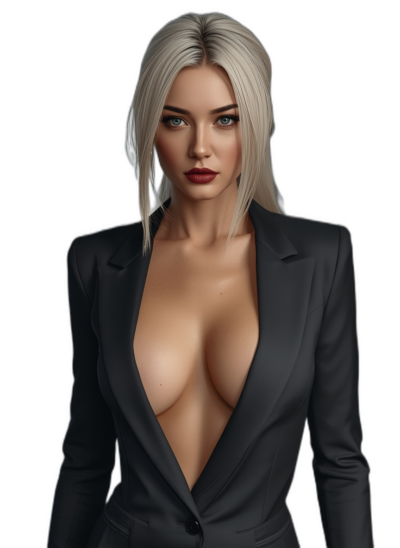
Frosting AI has been quietly running since at least 2023. It never went viral, never had a big launch moment — it just existed, serving a consistent crowd of people who wanted a browser-based Stable Diffusion front-end that wouldn’t flinch at adult content. Then in 2025 it added a feature called DreamChat, started showing up in AI companion roundups, and suddenly the platform had an identity problem.
I went in to test both sides of it — the image tool and the companion angle — and spent a few weeks generating, chatting, and watching where the experience holds up and where it falls apart. The honest answer is: one side works, the other really doesn’t.
What Frosting AI Is (And the Honest Clarification)
Let’s get this straight before anything else. Frosting AI is not a dating platform, no real people involved. But also — and this matters — it’s not really an AI companion platform in the way Candy AI or Caveduck are. It is, fundamentally, a browser-based AI image generator built on Stable Diffusion, with NSFW content support baked in and a DreamChat feature added in 2025 that is still in beta and behaves accordingly.
The platform runs entirely in-browser — no app download, no desktop client, nothing to install. That’s one of its genuine advantages. You open frosting.ai, create a free account in 90 seconds, and you’re generating images immediately. For the core image generation use case, that frictionless access is legitimately useful.
The audience, based on Similarweb’s demographic data, is pretty specific: predominantly male, heavily 18-24, concentrated in the US with secondary traffic from the UK, Germany, and Brazil. The homepage references a 2257 complaints policy and an anti-trafficking policy — both of which signal clearly that the platform knows what a significant portion of its users are here for.
Registration: Fastest in This Review Series
Creating an account takes about 90 seconds. Email and password, no credit card, no phone number, no lengthy onboarding flow. The free tier activates immediately — 100 daily image generation credits, no watermarks, available from the first session.
Age verification is a terms-of-service checkbox. You confirm you’re 18+ to access adult content. No hard ID verification, nothing more involved than that. Same story as most platforms in this space.
One thing that’s different from companion platforms: there’s no profile setup, no “tell us about yourself” section, no avatar creation. You land directly in the generation interface. This makes sense for an image tool but would feel cold if you came expecting a companion experience.
Top Frosting alternatives

Build your dream girl from scratch and let her pull you into worlds you didn't know you wanted. She remembers everything, creates the story, and never says no.



“Character Creation” on Frosting AI: A Text Prompt Field
This section needs to be upfront: Frosting AI does not have a character creation system in any meaningful companion-platform sense. There are no personality sliders, no backstory fields, no relationship type selection. There’s no community character library to browse.
What you have is a text prompt interface. You describe what you want to generate. Style, appearance, clothing, pose, expression, setting — it all goes in the prompt box. If you want to generate the same character repeatedly with visual consistency, you lock the generation seed manually, which produces similar (not identical) results across multiple prompts.
The DreamChat beta does let you assign a name and a brief description to a chat character. That’s the extent of “character creation” on the platform’s companion side — a name and a text box. No visual character builder, no personality system, nothing you’d recognize from Candy AI or Caveduck.
The image generation side has more tools than you’d expect:
- 4 main style categories: Photorealistic, Anime, Furry/Kemono, Painterly
- Positive prompt and negative prompt fields (negative prompts are buried in advanced settings but genuinely powerful)
- ControlNet support for composition control
- LoRA options for style fine-tuning
- Batch generation up to 16 simultaneous images on higher-tier plans
- Image-to-image generation — upload a base image and modify it with text prompts
- Inpainting — selectively edit specific areas of a generated image
For an image tool, that feature list is solid. For a companion platform, it’s irrelevant.
The Image Quality: This Is What Frosting Actually Does Well
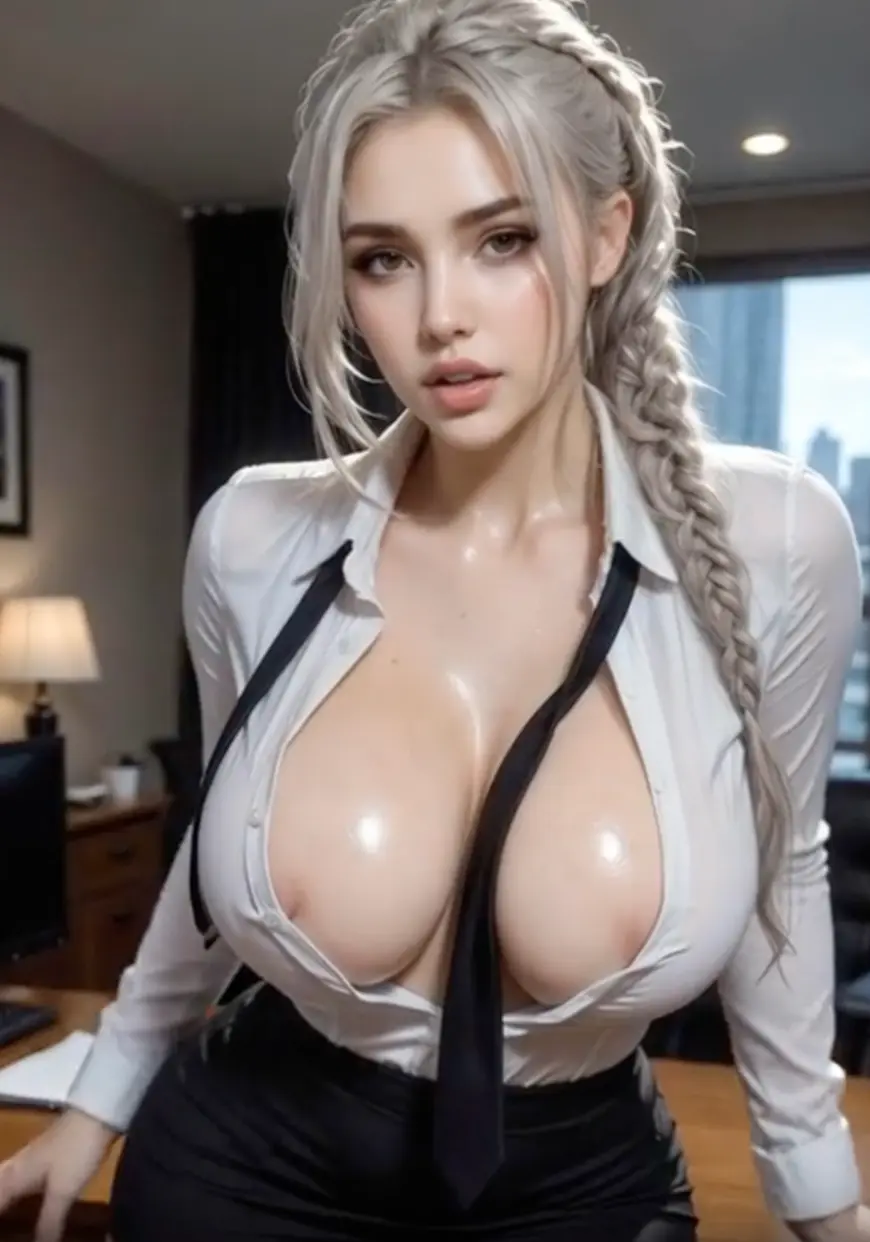
The platform runs multiple Stable Diffusion model variants. Photorealistic outputs are the strongest category. The model handles skin texture, lighting, and facial features at a quality level that’s meaningfully above basic free generators. For adult content specifically — which is the honest use case for a significant chunk of the user base — the realistic style outputs are consistently the platform’s best work.
Anime style is reliable and clean. Furry/Kemono style has a dedicated model that handles it well, which is a specific niche that most mainstream platforms don’t support at all. Painterly style is inconsistent — atmospheric scenes work, detailed painterly portraits miss more often.
- The negative prompt support is a real differentiator. Most casual free generators skip this entirely. Being able to explicitly exclude elements (bad anatomy, blurry, watermark, extra fingers) significantly improves output quality without requiring perfect prompt construction. It takes a few sessions to understand the syntax — Frosting responds well to Stable Diffusion’s weighted prompt format like (keyword:1.3) — but once you have it down, results improve noticeably.
- Batch generation up to 16 images per prompt (on paid plans) is the most practically useful feature for creative users. Testing 4 variations of a prompt in one click is how you find what works without burning credits one at a time.
- NSFW content: The adult mode is permissive and doesn’t have the inconsistency problems that plagued platforms like Mage.space. What you prompt for is generally what you get. The image-to-image feature combined with NSFW mode is the platform’s most specific use case — uploading a base image and modifying it with text prompts can produce results that are difficult to achieve through text-only generation.
One quality note: output is inconsistent at non-frontal angles, complex multi-figure scenes, and anything requiring detailed hand anatomy. Standard SD limitations apply here. No magic workaround exists on this platform or any other.
The DreamChat Beta: Let’s Be Honest About This
I need to be direct. DreamChat is not ready. It is a beta feature and it genuinely behaves like one.
The chat interface is thin. You can name a character, give it a brief personality note, and have a text conversation. The AI picks up on the character description adequately for the first few messages. It handles casual conversational roleplay fine for short exchanges. Light NSFW text content goes through without major issues.
Past that surface level, the problems stack up fast. There is no memory system. The AI has no continuity between sessions — return the next day and it has no idea who you are or what you discussed. Within a single session, context drift starts showing around message 20–25. The character that felt consistent early in the chat starts losing its voice. There are no tools to pin context, no lorebook equivalent, no way to set persistent world rules.
Response regeneration doesn’t exist. If the AI misses the tone you wanted, you reprompt manually. There’s no swipe-for-alternatives feature like Caveduck has.
Voice: none. No audio output, no voice calls, nothing to hear.
The gap between DreamChat and a proper companion platform is not a gap in polish — it’s a gap in fundamental architecture. Platforms like Caveduck or Chub AI have been building memory systems and model infrastructure for years. DreamChat launched in 2025 as a bolt-on feature to an image generator, and it shows in every session.
If companion chat is what you’re here for, Frosting AI is the wrong platform. Full stop.
What I Actually Tested Over Three Weeks
I ran the platform across both its use cases to be fair to it.
Image generation sessions
I did roughly 200+ generations across all four style categories, testing batch mode, negative prompts, and image-to-image. Photorealistic outputs on standard portraits: consistently solid, roughly 7/10 average quality across sessions. Anime style: similar quality, better consistency on character-specific features.
Batch mode at 4 images per prompt: the most useful free-tier workflow, lets you compare interpretations without credit waste. Image-to-image on adult content: works as advertised, more reliable than plain text-to-image for specific visual targets.
DreamChat sessions
Ran 5 separate conversations across different character concepts. A dry-witted librarian archetype, a sci-fi soldier character, a slow-burn romance scenario. All three worked okay for the first 15–20 messages. All three lost coherence past that point.
The librarian started answering every question like a generic helpful assistant by message 30. The soldier forgot a plot detail I’d established at message 10 by message 25. The romance scenario just kind of… became generic flirting with no continuity to anything that had happened earlier.
- What surprised me on the image side: the negative prompt system genuinely improves results once you understand it. I was skeptical that it would make much difference. On detailed realistic prompts, well-constructed negative prompts cut the “bad anatomy” failure rate roughly in half based on my subjective testing.
- What disappointed me across the board: the complete stagnation of the chat feature since its launch. No updates to DreamChat that I could identify over the testing period. The platform clearly isn’t treating it as a development priority.
Credits — How the Economy Works on Frosting AI
Frosting AI uses a credit-based system where each image generation costs credits. Free users get 100 daily credits, which resets every 24 hours. One standard image generation costs approximately 1 credit. Higher-resolution outputs and certain advanced features cost more.
Key things to know:
- Daily credits expire — unused free credits don’t accumulate. You get 100 per day, use them or lose them.
- No coin bundles — you buy a subscription tier, not individual credit packs. The model is simpler than Caveduck’s Wings or Deepswap’s video credits.
- DreamChat doesn’t consume image credits for text conversation. Chat is effectively free on all tiers, which explains why it’s not a premium-gated feature — it’s not premium quality either.
- Batch mode consumes credits per image generated, not per batch. 16 images in a batch costs 16 credits.
Frosting AI Pricing
| Plan | Duration | Price/Month | Daily Credits | Key Features |
| Free | — | $0 | 100 | Standard models, single image gen, SFW + NSFW access, no credit card |
| Planet | Monthly | $7 | 500 | Faster processing, batch gen (up to 4), all models |
| Star | Monthly | $25 | 1,500 | Batch gen up to 8, ControlNet, priority queue |
| Galaxy | Monthly | $125 | Unlimited (rate-limited) | Batch gen up to 16, LoRA access, fastest processing, API access |
Important notes before subscribing:
- Auto-renewal applies on all paid plans. Standard practice but worth the reminder — set a calendar alert if you’re trying the platform for one month.
- No annual discount is advertised. The monthly rate is what you pay regardless of commitment.
- The jump from $25 to $125 is steep. There’s no middle tier between Star and Galaxy, which means heavy users have a large price cliff to navigate.
- No free trial exists for paid tier features specifically — though the free tier is generous enough that you can properly evaluate image quality before paying.
The pricing is competitive at the Planet and Star tiers compared to dedicated image platforms. Mage.space’s Pro plan costs $15/month for NSFW access with no batch support. Frosting’s $7 Planet plan includes NSFW and basic batch at a lower price point.
Free vs. Paid: Is the Subscription Worth It?
100 free daily credits is genuinely one of the better free tier offers in the image generation space. For casual use — a few images a day, SFW or adult, single generation per prompt — the free tier is completely functional. The images have no watermark. The full model selection is available. Nothing is degraded on purpose.
The reasons to pay:
- You regularly run out of daily credits before finishing what you wanted to generate
- Batch mode (4–16 images per prompt) is important to your workflow
- You want LoRA access and ControlNet for style-specific results
- Processing queue speed matters to you
The reason not to pay for companion chat: DreamChat is the same quality on every tier. Paying for a higher plan doesn’t improve the chat experience at all.
If image generation is your use case, the Planet plan at $7/month is a reasonable step up from free. Galaxy at $125 is for professional volume use, not casual users.
Red Flags
Five things to know before committing:
The most important one: Frosting AI’s traffic dropped 43% in a single quarter — from ~411,000 monthly visits in December 2025 to ~235,800 by March 2026. That’s a significant contraction. Platforms that are losing users at that rate tend to underinvest in new features. DreamChat’s apparent stagnation supports that read. This isn’t a deal-breaker for image generation in the short term, but it’s worth knowing when evaluating whether to build a workflow around the platform.
Beyond that:
- DreamChat has no memory, no voice, no response regeneration, and no meaningful character tools — the companion feature is essentially a placeholder
- Bulk export for long creative projects is clunky and has known limitations
- The $25-to-$125 pricing gap means heavy users face an uncomfortable choice
- No mobile app — browser-only, and mobile browser experience is adequate but not polished
- Customer support response times are undocumented; community discussion is thin, which means you’re mostly on your own if something goes wrong
Frosting AI vs. The Competition
Compared to Candy AI: no competition on companion features — Candy AI has memory, voice, video, and a character system that actually works. For pure image generation quality, Frosting is comparable on photorealistic outputs. The moment conversation matters at all, Candy AI wins without a fight.
Compared to Character AI: entirely different products. Character AI doesn’t do image generation in the same way; Frosting doesn’t do meaningful chat. They serve different audiences with minimal overlap.
Compared to Mage.space (same category — image generators): Frosting beats Mage.space on free tier generosity (100 daily vs. Mage’s unlimited-but-NSFW-paywalled) and beats it on NSFW accessibility at lower cost. Mage.space has a larger model library and more SD parameter control. For NSFW image generation on a tight budget, Frosting is arguably the better starting point.
Frosting AI Pros & Cons
Pros:
- 100 daily free image credits with no watermark and no credit card required — one of the most generous free tiers in this category
- Adult content support that’s actually consistent — what you prompt for is what you get
- Negative prompt support and batch generation set it above basic free generators
- Image-to-image and inpainting features add real creative flexibility
- No installation required, runs entirely in-browser
- Competitive pricing at $7/month for the entry paid tier
Cons:
- DreamChat is a beta placeholder, not a real companion or roleplay system — no memory, no voice, no character persistence
- Platform traffic dropped 43% in one quarter, suggesting stagnation rather than active development
- No mobile app; mobile browser experience is functional but unpolished
- The jump from $25 to $125 skips a natural mid-tier price point
- No community character library of any kind
- Non-frontal angles and complex multi-figure scenes still struggle — standard SD limitations, but worth knowing
Verdict
7.5 / 10
Frosting AI is a competent, generous-on-the-free-tier image generator with real NSFW support and a no-friction browser experience. As an image tool for adult creative content, the Planet plan at $7/month is genuinely good value. As an AI companion or roleplay platform, it’s not one — DreamChat is a placeholder feature in a beta that hasn’t meaningfully progressed, and calling it a companion experience would be misleading.
Worth trying if you specifically want a budget-friendly NSFW image generator with batch support and no watermarks. Not the right choice for anyone who wants an AI to actually talk to.