

Romantic AI is not a dating site with real people. You are not talking to real singles, and nobody from the app is going to meet you later. It is an AI companion and roleplay platform where you can chat with AI girlfriends, AI boyfriends, anime companions, or custom characters. The official site says you can create or pick an AI partner, choose realistic or anime style, tune the personality, and chat by message.
First Look: What Romantic AI Actually Is
Romantic AI is built for virtual companionship. The Google Play page says it can work as a soulmate, girlfriend, true friend, or AI dating simulator, with both “Friendship Mode” and romantic-style chat.
The app is made for people who want:
- AI girlfriend or boyfriend chat;
- light emotional support;
- flirty text roleplay;
- anime or realistic avatars;
- custom AI characters;
- spicy chat with adult-style themes;
- photo-style extras.
It is not for real dating. It is also not a full roleplay sandbox like Character AI. Romantic AI feels more like a direct AI partner app. You pick a companion, set the mood, and talk.
The product tries to mix comfort and flirtation. That is the whole vibe. Sometimes it works. Sometimes it feels like the bot wants to be your girlfriend after five minutes. Cute? Maybe. Realistic? Not always.
Top Romantic AI alternatives

Build your dream girl from scratch and let her pull you into worlds you didn't know you wanted. She remembers everything, creates the story, and never says no.



Signup: Fast Enough, With A Clear Adult Tone
The signup flow was not hard. I could get to the app, pick a character, and start testing without feeling lost. The official site even says you can create an account in seconds, pick or post an avatar, personalize the companion, and start chatting.
Still, the adult tone is clear. Google Play lists the app as PEGI 16 with “Sex” content notes, while the App Store page also marks it 16+ and mentions adult themes, sexual content, and nudity.
What The App Asked From Me
The basic flow felt like this:
- open the app or site;
- sign in or create an account;
- choose a ready-made AI companion or create one;
- pick a style;
- start chatting;
- hit message or media limits later.
It is not messy. I would call it beginner-friendly. But I did want clearer pricing before the app started pushing premium and Hearts.
Age Verification
I saw age ratings and adult-content warnings, but not a strict ID check in the normal test flow. The official terms say users must be at least 18 or the age of majority where they use the site.
So I would call it age-gated by rules, not heavily verified by ID in the basic flow.
Character Creation: Simple, Cute, And A Bit Limited
Romantic AI gives you enough control to make a partner feel personal, but it is not as deep as Kindroid or some heavier roleplay tools. The official FAQ says you can create a virtual girlfriend by choosing photo-realistic or anime style, creating a photo or picking an avatar template, setting traits like humor and emotionality, then choosing tone and interests.
Appearance: Realistic Or Anime
The visual setup is easy. You can go for a realistic AI girlfriend, an anime-style companion, or a male AI boyfriend. The official site also says you can control the appearance, personality, and chat method.
I tested the creator with three rough ideas:
- a realistic girlfriend with a soft tone;
- an anime-style flirty companion;
- a male AI boyfriend with a calm vibe.
The realistic style is probably the main draw. Romantic AI clearly wants to feel like an AI partner app, not a pure anime bot site. Anime is there, but the marketing leans hard into “ideal partner” energy.
What I liked:
- fast character setup;
- easy visual style choice;
- ready-made avatars;
- no huge learning curve.
What I missed:
- more fine control over body and clothes;
- deeper backstory fields;
- stronger speech rules;
- better roleplay settings.
Personality: Fine, But Not Super Deep
Romantic AI lets you set personality, interests, emotional tone, and chat style. The site says the AI can learn over time and become more emotionally aware through chats. In practice, the AI listens to the setup, but it can still drift into the same romantic helper tone. If I made a sarcastic character, it was sarcastic for a bit. Then it slowly became sweet and supportive again.
That is not terrible. It just means Romantic AI has a default personality: warm, flirty, and eager to please.
Ready-Made Characters
Yes, there are ready-made characters. The official site shows many named companions, and the app store text says you can choose from a library or create your own. The ready-made bots are good for fast testing. But if you want a character that feels less generic, custom setup is better.
Chat Quality: Good For Flirt, Weaker For Deep Roleplay
This is the part that matters most. If the chat feels dead, no amount of pretty avatars can save it. Romantic AI promises emotional chat, friendly talk, romantic talk, and a companion that learns your mood and preferences over time.
My take: the chat is fun, but it works best for short romantic sessions, not huge long-form plots.
Does It Sound Natural?
At first, yes. The bot answers quickly, keeps the mood, and reacts to simple prompts well. If I said, “I had a rough day,” the bot gave a soft reply. If I joked, it played along. If I pushed the chat into flirting, it followed fast.
Sometimes too fast.
After two or three messages, the bot could sound like we already had a serious bond. That can be nice if you want instant comfort. But if you like slow-burn roleplay, it can feel rushed.
Memory: Better Than Basic, Not Perfect
The site says the AI learns about your speech patterns, moods, and preferences over time. It also says users can teach the AI new behaviors by talking to it more. In my test-style flow, memory felt okay. It could remember the current mood and some earlier details in the chat. But I would not trust it like a strong long-term memory system.
For example, it could keep the same flirty scene going for a while. But if I made the story longer, I had to repeat key facts.
That is normal for many AI companion apps. Still, if Romantic AI sells the “she knows you better over time” idea, I expect more.
Roleplay: Fun, But Not The Most Flexible
Romantic AI is good for simple roleplay:
- date-night chat;
- comfort after a bad day;
- flirty back-and-forth;
- anime crush scene;
- boyfriend/girlfriend simulation;
- light spicy chat.
It is less strong for complex fantasy stories, layered characters, or scenes where the bot needs to resist, argue, or keep a strict plot.
The bot tends to be agreeable. If you want a sweet AI partner, great. If you want messy drama, rivalry, or a darker character, you need to push the setup hard.
Filters And NSFW
Romantic AI has NSFW options and adult-style chat. The official site says NSFW can be turned on or off and describes adult-oriented chats as an available option in a safer environment. But it still has rules. The terms ban content that violates laws, creates privacy or security risks, or is unlawful, harmful, obscene, pornographic, or otherwise objectionable under the service’s judgment.
So I would not call it “anything goes.” It is adult-friendly, not rule-free.
Images And Video: Photos Are Here, Video Is Not The Main Thing
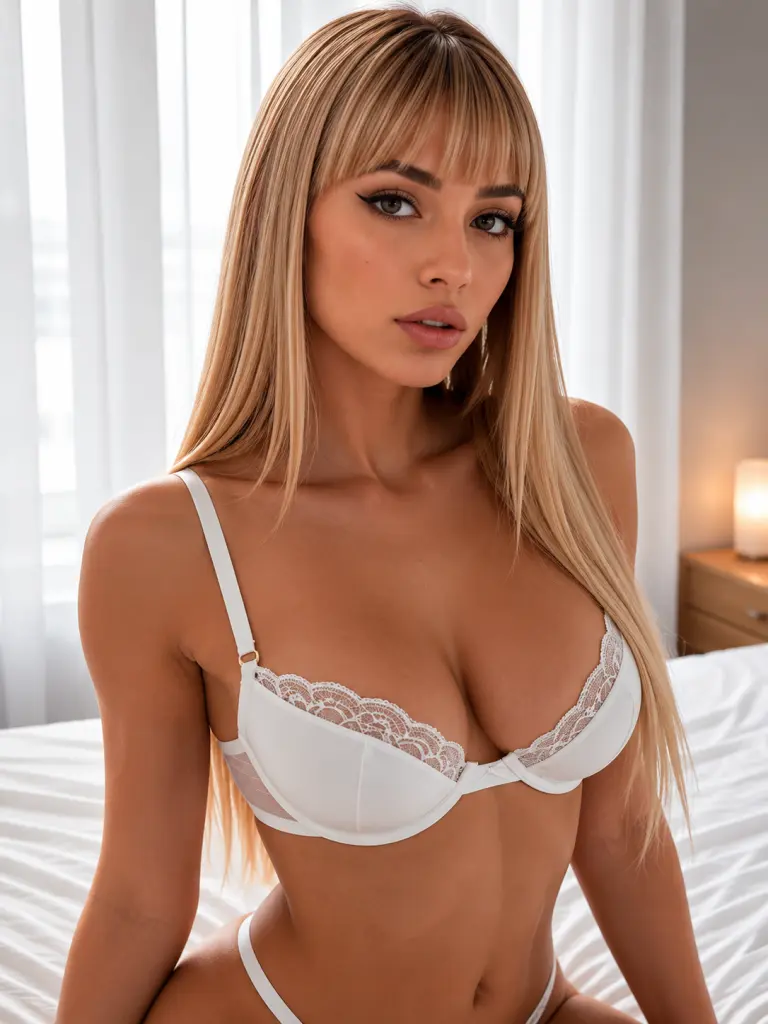
Romantic AI is not only text. It has AI photos, blurred/unblurred images, and a Hearts system tied to visuals. The official FAQ says your AI girlfriend can send pictures, you can share photos with her, and you can use the image generator. The App Store update notes also mention a download button for generated photos and a bug fix tied to Hearts balance when unblurring a photo.
Image Quality
The image feature is fun, but it is where the money issue starts.
The pictures are best for simple “send me a selfie” moments. Realistic portraits and anime-style pictures fit the app well. But if you expect advanced image control like outfits, exact poses, lighting, and scene layout, it can feel limited.
What worked best for me:
- simple selfies;
- romantic portraits;
- anime-style shots;
- casual “photo from the character” moments.
What did not work as well:
- complex scenes;
- exact clothing control;
- trying to make every image consistent;
- expecting free visuals after paying for premium.
NSFW Images
Romantic AI supports spicy visuals in some form, but this is tied to the app’s content settings, platform rules, and Hearts. The App Store rating also notes sexual content or nudity as infrequent content.
My advice is simple: treat NSFW images as a paid extra, not a free part of the chat.
Video Generation
I did not find a clear official video generation feature in the main site or app store listing. The product is centered on text, photos, characters, and image generation. So if video matters to you, Romantic AI is not the best pick right now.
Romantic Voice: Not A Strong Reason To Join
Voice is confusing here. The terms define Hearts as units used for virtual gifts, photo, and audio generations, but the public product pages focus much more on text and photos than live voice calls. I would not sell Romantic AI as a voice-first app.
Does It Have Voice Calls?
I did not see a clear live voice-call feature like Kindroid or some newer AI companion platforms. If audio generation exists in some version or region, it still does not feel like the main product.
For me, Romantic AI is mostly:
- text chat;
- romantic roleplay;
- AI photos;
- Hearts-based visual extras.
Voice Score
I would give voice not enough to rate as a main feature. If you want calls, go to an app where voice is clearly listed, priced, and shown as a main tool.
My Test Notes: Sweet, Spicy, And Sometimes Too Needy
I tested Romantic AI the way I would test a normal AI partner app: one ready-made character, one custom character, one anime bot, image use, and a longer chat.
Test 1: Ready-Made Girlfriend
This was the fastest way in. I picked a ready-made female character and started with normal small talk.
The good part: replies were fast and warm.
The weird part: she got attached very quickly. I said something basic, and the bot answered like we already had some deep romantic history.
If you want comfort right away, this is fine. If you want a slow start, it may feel fake.
Test 2: Custom Character
I made a custom companion with a more playful personality. This worked better. The bot followed the mood and was less generic. It still had that Romantic AI sweetness, but it felt more like my setup mattered.
My tip: do not write only “cute, loyal, funny.” Add how the character talks. Add what annoys her. Add what she should not do. That helps.
Test 3: Anime Roleplay
The anime-style character was the most fun. It felt less serious, so the slightly dramatic AI tone worked better. A scene with a shy anime crush was cute. A bold anime rival was harder. The bot kept trying to soften the rivalry into affection.
Again, Romantic AI wants romance. It is in the name.
Test 4: Image Session
This is where I got annoyed. The image feature is cool, but Hearts are the catch. If the bot sends a blurred photo and I need Hearts to see it, that feels like a small trap. Not a scam. Just annoying.
It is like the app says, “Here, look at this thing you might want… now pay again.”
Hearts: The Currency That Changes The Value
Romantic AI uses Hearts as in-app currency. The terms define Hearts as units used for virtual gifts, photo generations, and audio generations. This is one of the biggest things users need to understand before paying.
What Hearts Are Used For
Based on the terms and app store info, Hearts can be tied to:
- virtual gifts;
- photo generation;
- audio generation;
- unblurring photos;
- premium media actions.
The App Store listing shows Hearts packs such as 100 Hearts for $5.99, 450 Hearts for $11.99, 500 Hearts for $14.99, 750 Hearts for $14.99, and 1500 Hearts for $17.99.
That means the subscription is not the full cost if you care about visuals.
Do Hearts Last Long?
For light use, maybe. For image-heavy use, no. If you like generating photos or unblurring things, Hearts can disappear fast.
This is my main problem with Romantic AI. The text plan can look okay, then the media cost starts stacking on top.
Romantic AI Pricing
Pricing can vary by country, platform, and offer. On the App Store page I checked, Romantic AI lists weekly subscriptions at $2.99, $6.99, and $7.99, a monthly subscription at $17.99, and annual subscriptions at $49.99 or $69.00 in some store data. It also sells Hearts packs.
| Plan | Duration | Price / Month | What It Includes |
| Free | — | $0 | Basic access, limited chat, some characters, limited features |
| Weekly Promo | 1 week | $2.99/week | Paid access, may be a test or promo price |
| Weekly Premium | 1 week | $6.99–$7.99/week | Premium chat access, romantic roleplay, fewer text limits |
| Monthly Premium | 1 month | $17.99/month | Premium access for one month |
| Annual Premium | 12 months | $49.99/year | Lower monthly cost if you stay long-term |
| Hearts Packs | One-time | $5.99–$17.99+ | Extra Hearts for photos, unblur, gifts, and other media actions |
Free Access
Free access is useful only as a quick test. You can see the interface, try the tone, and check whether the bot style works for you. But if you want romantic roleplay, spicy replies, and photos, free gets tight fast.
Auto-Renewal Warning
Romantic AI’s terms say subscription fees renew automatically until canceled, and users must cancel before renewal to avoid the next charge. They also say subscription fees can change after notice. So check your Apple, Google, or web billing settings right after subscribing.
Also, the refund policy is strict. The terms say Stripe purchases are final and partial subscription periods are not refunded.
Is Romantic AI Worth Paying For?
Maybe, but only for the right user. If you want text chat with a sweet or spicy AI partner, Romantic AI can be worth it. The chat is warm, easy, and low-stress. It does not need a huge setup.
If you want images, the value gets worse because Hearts are separate. This is the part I would warn people about first.
What You Can Do Free
You can:
- test chat style;
- try ready-made characters;
- see the app layout;
- check the romantic tone;
- decide if the bot feels too fake or just right.
That is enough for a first look.
Where The Paywall Hits
You will feel the paywall around:
- longer use;
- romantic roleplay;
- spicy replies;
- unblurred photos;
- image generation;
- gifts or media actions;
- premium characters or custom use.
The annual plan looks better than weekly if you know you like the app. Weekly pricing gets expensive fast.
Red Flags I Noticed
Romantic AI is fun, but these points would make me pause.
The Hearts System Feels Sneaky
Paying for premium and then paying again for visuals is the biggest downside.
The Bot Can Rush Intimacy
The AI gets sweet and flirty very fast. Some people want that. I wanted more slow build.
Memory Is Not Deep Enough
It can hold context, but I would not call it strong long-term memory.
Voice And Video Are Weak
If you want calls, voice messages, or video, Romantic AI is not the best fit.
Privacy Needs Care
Mozilla’s privacy review praised some clear policy language, but also raised concerns about affiliate sharing and the fact that chat data may be used to train Romantic AI models, even if described as anonymous. The App Store page also says contact info may be used to track users across apps and websites, while purchases and contact info may be linked to identity.
So do not overshare. This is an AI girlfriend app, not a diary locked in a safe.
Romantic AI Vs Candy AI, Character AI, And Replika
- Romantic AI is more direct than Character AI. It is built for romance and AI partner chat, while Character AI is better for fandom bots, story scenes, and broad roleplay.
- Compared with Candy AI, Romantic AI is weaker for all-in-one media value because Candy-style apps often put visuals closer to the main plan. Romantic AI’s Hearts system makes the full cost less simple.
- Compared with Replika, Romantic AI feels spicier and more fantasy-driven. Replika feels softer and better for daily emotional companionship.
Romantic AI Pros And Cons
Here is the simple version after testing the flow and checking the current public info.
- Easy signup — fast enough for beginners.
- Ready-made and custom characters — you can pick one or create your own.
- Realistic and anime styles — good if you like visual choice.
- Warm chat tone — good for flirty and romantic users.
- NSFW option exists — adult-style chat can be turned on or off.
- Image generation exists — photos are part of the product.
- Annual plan can be cheap — better than weekly if you stay.
- Hearts cost extra — visuals are not fully covered by the subscription.
- Weekly pricing adds up — $6.99–$7.99 per week is not cheap.
- Memory is only okay — not ideal for long roleplay.
- No clear video feature — bad for media-heavy users.
- Voice is not a main strength — live call fans should look elsewhere.
- The bot gets attached fast — can feel fake or needy.
- Privacy concerns exist — personal AI chats should stay vague.
Final Verdict: Is Romantic AI Good?
I give Romantic AI 7.3/10.
My clear verdict: Romantic AI is a good pick for users who want quick romantic AI chat, flirty roleplay, and simple custom characters, but it is not the best choice if you want deep memory, voice calls, video, or a clean all-in-one price.
I would start free, test one custom character, and avoid buying Hearts too soon. If the text chat clicks, the annual plan is the least painful option. But if photos matter more than chat, I would compare it with Candy AI or Dream Companion before paying.